Invite a user
Invite someone to the portal for your company — the e-mail address and the role.
The person you invite gets an e-mail from us and signs in or registers with the address. Then they get access to the portal for your company with the role you chose.
Requires the administrator or owner role. Open the page with Invite at the top right of Users.
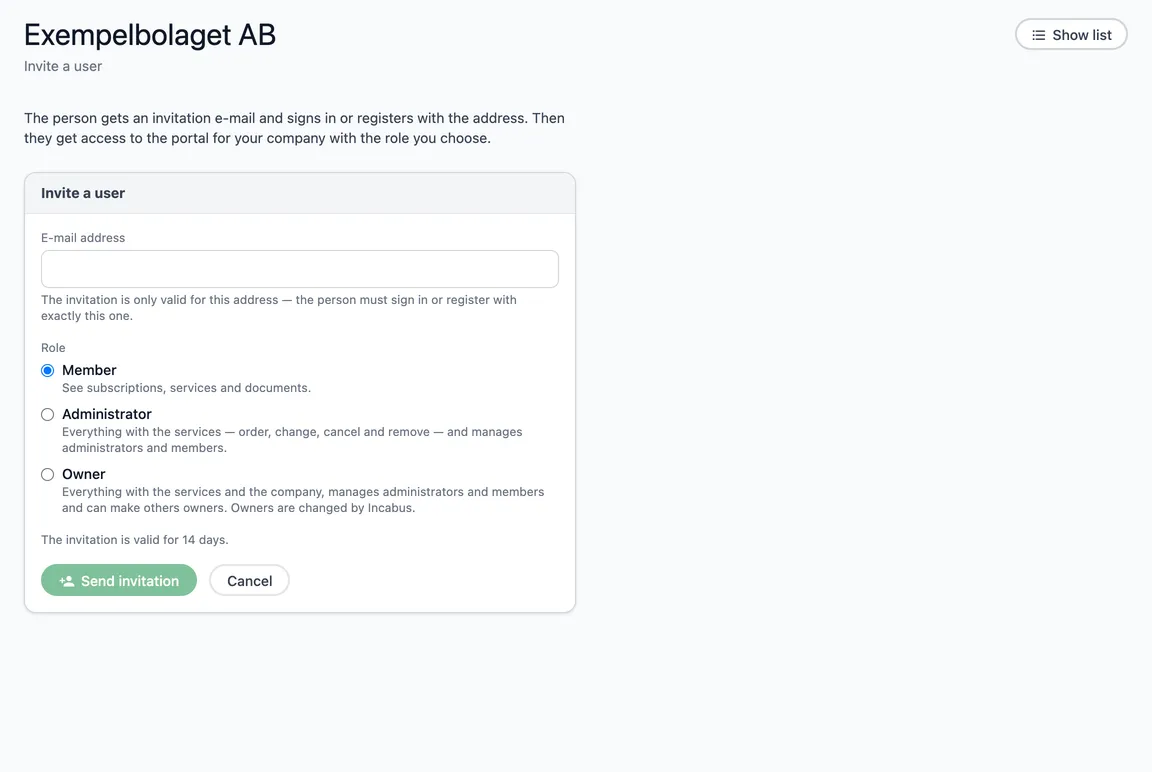
Fill in
- E-mail address — the invitation is only valid for this address. The person must sign in or register with exactly this one.
- Role — Member, Administrator or Owner, with what each role may do. You can give at most your own role.
Choose Send invitation. The invitation is valid for 14 days and is listed under Pending invitations until it is accepted.
When the person signs in
When the person signs in with the address — or registers, if they have no Incabus account — the invitation is accepted by itself, and your company appears in the company picker. If the person already has access to your company, no invitation is created, and the page says so.
If the e-mail could not be sent, the invitation is still saved, and the page says so. Ask the person to sign in at cloud.incabus.com with the address.