Users
Who has access to the portal for your company — invite, change roles, remove and revoke invitations.
Here you see everyone with access to the portal for your company, with their role, and the invitations waiting to be accepted. From here you invite more people, change roles and remove users.
Open the page under Company → Users in the menu. Every role can see the list. Changing it requires the administrator or owner role.
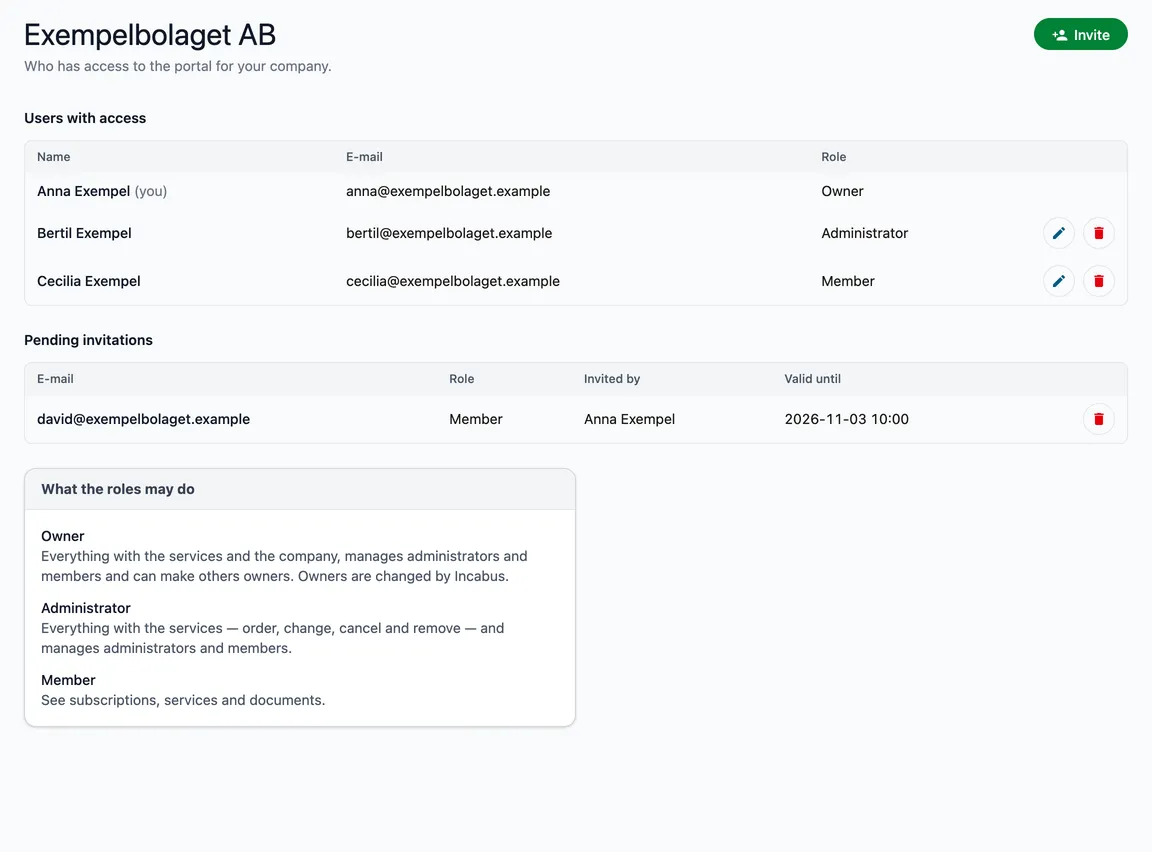
Users with access
The table shows name, e-mail and role. Your own row is marked (you) and has no buttons — nobody can change their own role or remove themselves.
- The pencil opens Change role.
- The bin removes the person from your company, after a question. The person loses access at once. The Incabus account stays, and you can invite the person again.
Pending invitations
Invitations not accepted yet, with the role, who it was invited by and how long it is valid. An invitation is valid for 14 days. The bin revokes it: the link in the e-mail stops working.
Who manages whom
| Member | Administrator | Owner | |
|---|---|---|---|
| See the list | ✅ | ✅ | ✅ |
| Invite, change the role of and remove administrators and members | ✅ | ✅ | |
| Make someone an owner | ✅ |
Owners are changed and removed by Incabus. No owner can change another owner. If an owner should be removed, or change role, get in touch. Nobody can give someone a higher role than their own.
The What the roles may do card at the bottom explains the roles. See also Who can do what.