Set a new password
The page you reach from a password reset email.
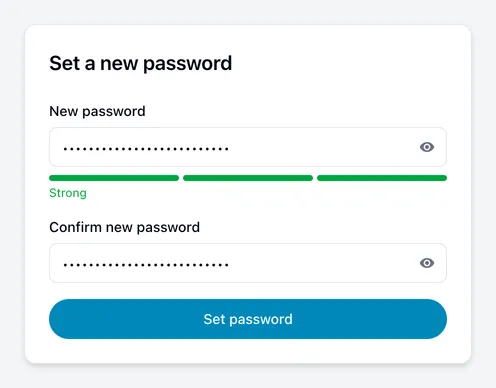
You reach this page by following the link in a password reset email. It is where you choose the new password.
How to do it
- Enter your new password, then repeat it in the second field.
- Choose Set password.
You are then signed in and can carry on.
The minimum is 8 characters. The bar under the field reads Weak, Fair or Strong as you type — length matters most, and a mix of capitals, numbers and symbols raises it further. A long phrase you can remember beats a short complicated one you cannot.
“Invalid or expired link”
If the page says this instead of showing the form, the link cannot be used. Usually one of:
- It has already been used. Each link works once. If you have already set a password, sign in with it.
- It has expired. Links are short-lived on purpose.
- It was cut in half. Some mail clients wrap long links. Try copying the whole address into the browser instead of clicking.
- It is from an older email. If you requested several, only the newest works.
Choose Request a new link and start again.