Activity
See where you are signed in, sign other devices out, and review recent sign-ins.
This page answers three questions: where is my account signed in right now, who has been signing in, and which Incabus sites the account has been used on.
Worth checking if you have used a shared or borrowed computer, or if something about your account looks off.
Active sessions
Each card is one place you are currently signed in, showing the IP address, the device, the browser, and when that session started.
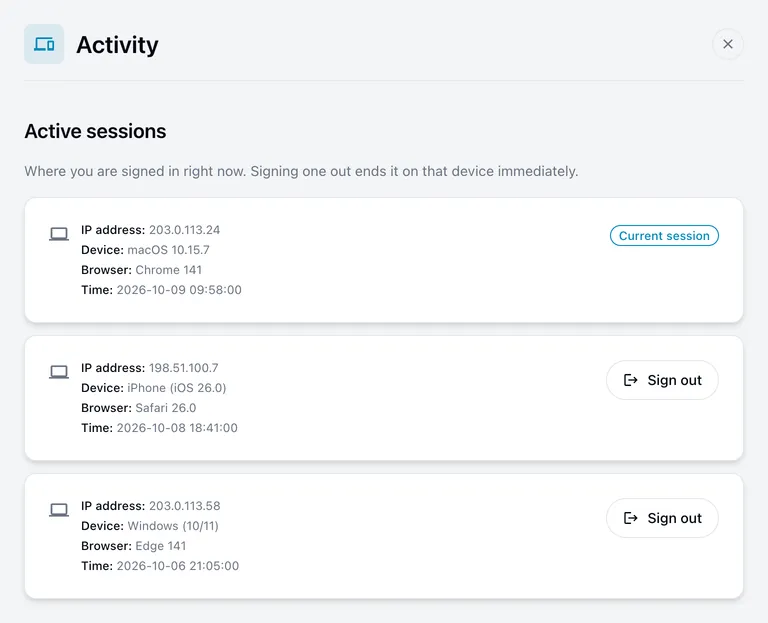
The one you are using now is marked Current session and has no button — you cannot sign yourself out from here. Use Sign out in the avatar menu for that.
Every other card has a Sign out button. Choosing it ends that session immediately: that device has to sign in again. Use it if you left yourself signed in somewhere, or see something you do not recognise.
Sessions also end on their own after a period of inactivity, so an old entry disappearing by itself is normal.
Recent activity
Below the sessions is a list of recent sign-ins, newest first. The newest one starts open; select any row to expand it.
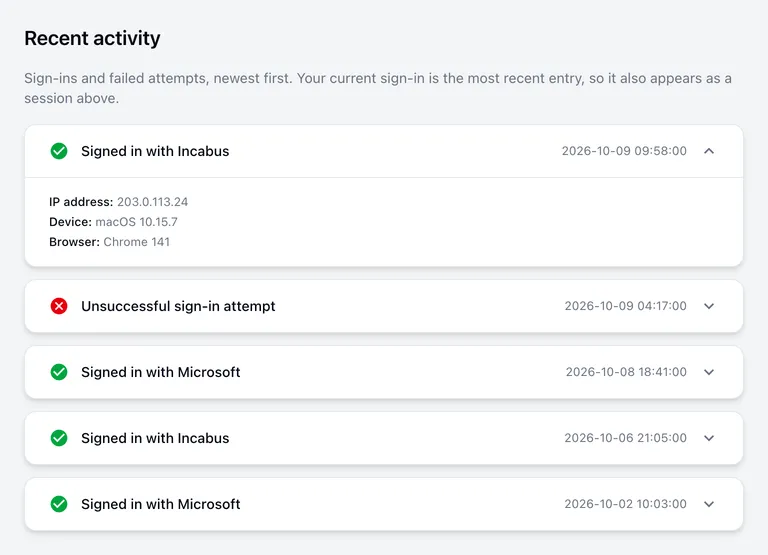
- A green tick is a successful sign-in, and says how — with Incabus (your password), or with Microsoft, Google or GitHub.
- A red cross is Unsuccessful sign-in attempt.
Expanding a row shows the IP address, device and browser it came from.
About failed attempts
The odd failed attempt is usually nothing — a mistyped password, or a phone filling in an old saved one.
Take notice when you see failed attempts you cannot account for, especially from a device or place that is not yours, or several in a row. In that case change your password and, if it is not on already, turn on two-factor authentication. Then contact us.
The list keeps your most recent sign-ins only, so it is a recent history rather than a complete record.
Sites you signed in to
The last list shows each time your account was used to sign in to another Incabus site, such as Admin or Cloud — newest first, with the device, browser and IP address it happened from.
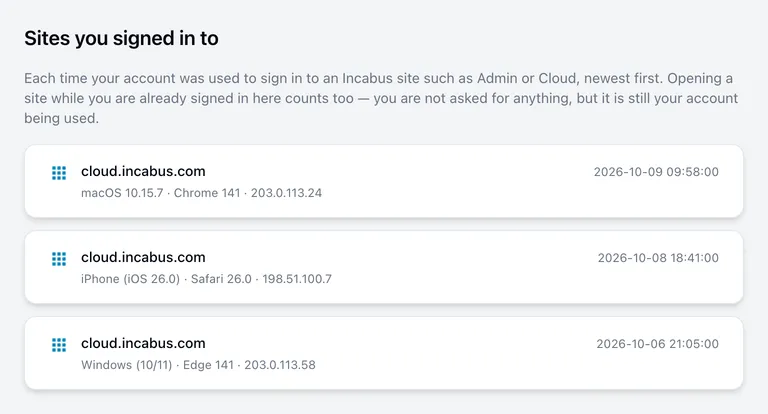
This list can show entries that Recent activity does not, and that is expected. You sign in here once; after that, opening Admin or Cloud signs you in there without asking for anything. Nothing new happens on this site, so there is no new sign-in — but it is still your account being used, and it appears here.
An entry you do not recognise deserves the same response as an unfamiliar sign-in: change your password, sign the unknown session out above, and contact us.
Times
All times on this page are shown in Swedish time, regardless of where you are.