Signing in
Sign in with your email and password, or with Microsoft, Google or GitHub.
One Incabus account gets you into every Incabus service you have access to. You sign in here, and are sent back to wherever you were heading.
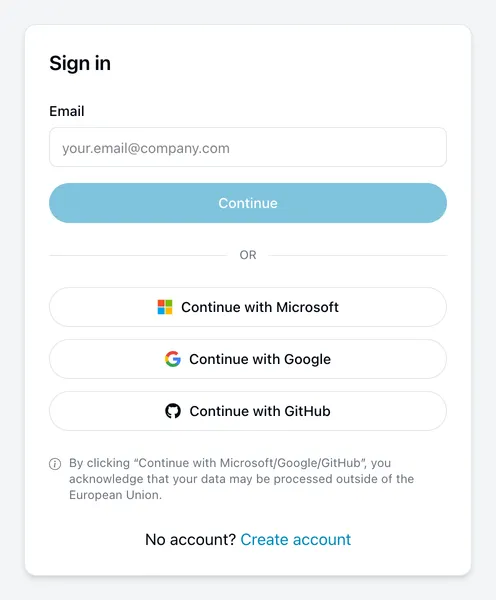
With an email address and password
- Enter your email address and choose Continue.
- Your address is shown back to you so you can check it. Enter your password and choose Sign in.
Got the wrong address? Use the back arrow beside Enter your password.
With Microsoft, Google or GitHub
Choose Continue with Microsoft, Continue with Google or Continue with GitHub. You sign in there and come straight back — no password to type here.
This works when the account has been connected. If you have only ever used a password, connect it first from Connected accounts.
Note that your data may be processed outside the EU when you use these, which is why the notice sits under the buttons.
If two-factor authentication is on
After your password you are asked for a six-digit code from your authenticator app. See two-factor authentication.
When it does not work
“Invalid email or password” — we deliberately do not say which was wrong. Check for a stray space, and whether Caps Lock is on. Then reset your password.
You came from another Incabus service and got sent back with an error. Your account exists but is not authorised for that particular service. That is a permissions matter, not a sign-in problem — contact us.
You end up back at sign-in repeatedly. Check that your browser accepts cookies for this site. Signing in cannot work without them.
Signing out
Use Sign out in the menu behind your avatar, top right. To end a session on a different device, see Activity.