Forgotten password
Get a link emailed to you so you can set a new password.
If you cannot remember your password, we email you a link to set a new one. You do not need to know the old one.
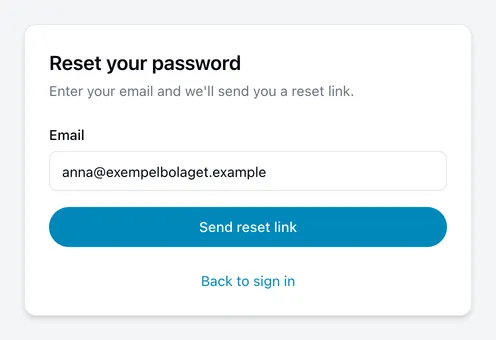
How to do it
- Enter the email address you use to sign in.
- Choose Send reset link.
- Open the email and follow the link. It takes you to a page where you set a new password.
Why the confirmation is worded the way it is
The page then says If an account exists for that address, we’ve sent a link — rather than confirming outright that we sent one.
That is deliberate. Anyone can type an address into this form, and a page that said “no such account” would let a stranger work out who has an account with us. So the message reads the same either way.
The practical consequence: if no email arrives, one possibility is that the address is not the one your account uses.
If the email does not arrive
- Check your spam or junk folder. It comes from
noreply@incabus.com. - Make sure you used the same address you sign in with — a work address rather than a personal one, or the other way round.
- Wait a minute or two, then request another link.
If you have no password
If Microsoft, Google or GitHub is your only way of signing in, there is no password to reset. Choose the matching Continue with… button on the sign-in page instead, and if you have forgotten that password, reset it with them.
If you set a password at some point and later connected an account, the password is still there and this form still works — a connection does not replace it.