A device
Everything we know about a computer or server we manage — model, operating system, processor, memory, disks and addresses.
The device’s page shows everything we know about one of your computers or servers. Open it by clicking the device’s name, or the eye at the end of the row, under IT operations. Every role can see the page.
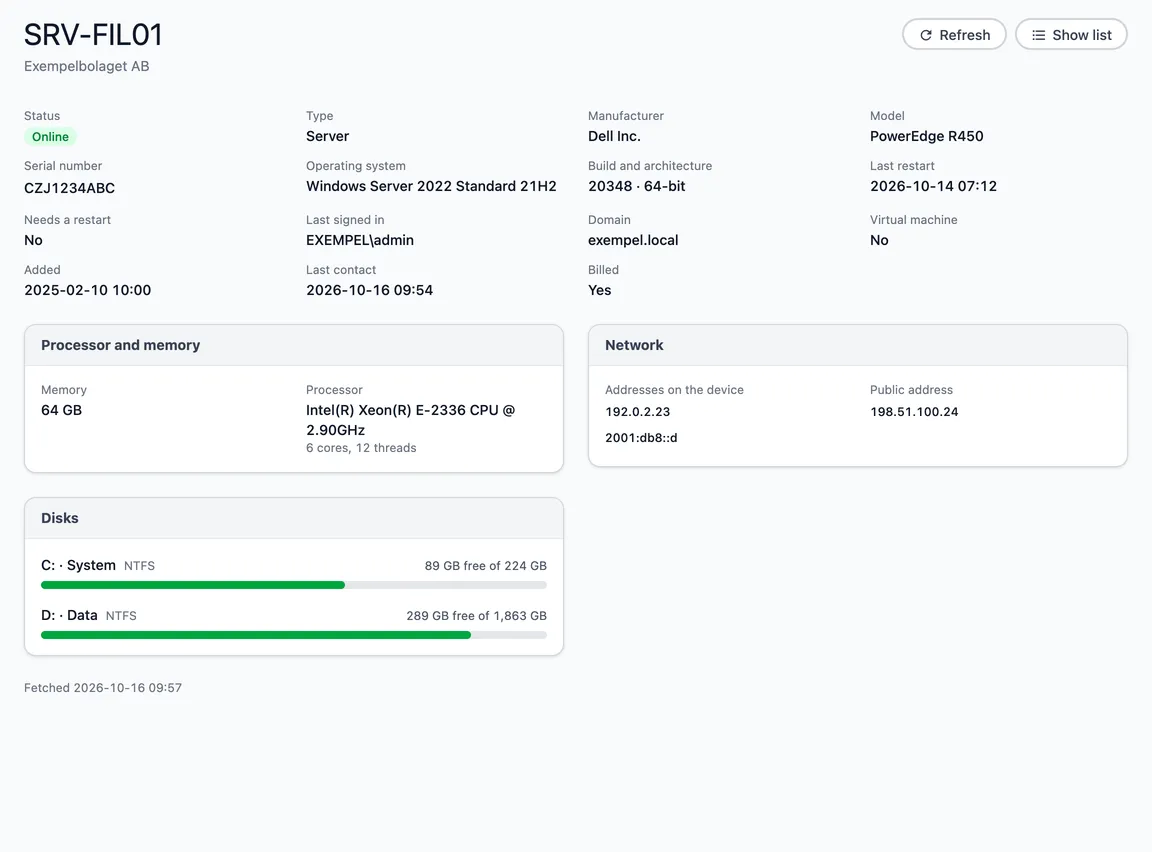
At the top
Status (Online or Offline), Type, Manufacturer, Model, Serial number, Operating system, Build and architecture, Last restart, Needs a restart, Last signed in, Domain, Virtual machine, Added, Last contact and whether the device is Billed.
The cards
- Processor and memory — the processor with cores and threads, and the memory.
- Network — Addresses on the device and the Public address it was last heard from.
- Disks — each disk with how much is free. The bar is green, amber above 85% and red above 95% used.
Fresh details
The details are fetched when you open the page. Refresh fetches them again. If they could not be fetched just then, an amber box says what time the details are from. Show list takes you back to the list.