A domain's settings
Everything about a domain — renewal, the transfer code, the name servers, the registrant and contacts.
The domain’s own page gathers everything about it: when it was registered and expires, renewal, the transfer code, the name servers and who is registrant and contacts. Open it by clicking the domain or the cog in the list of domains.
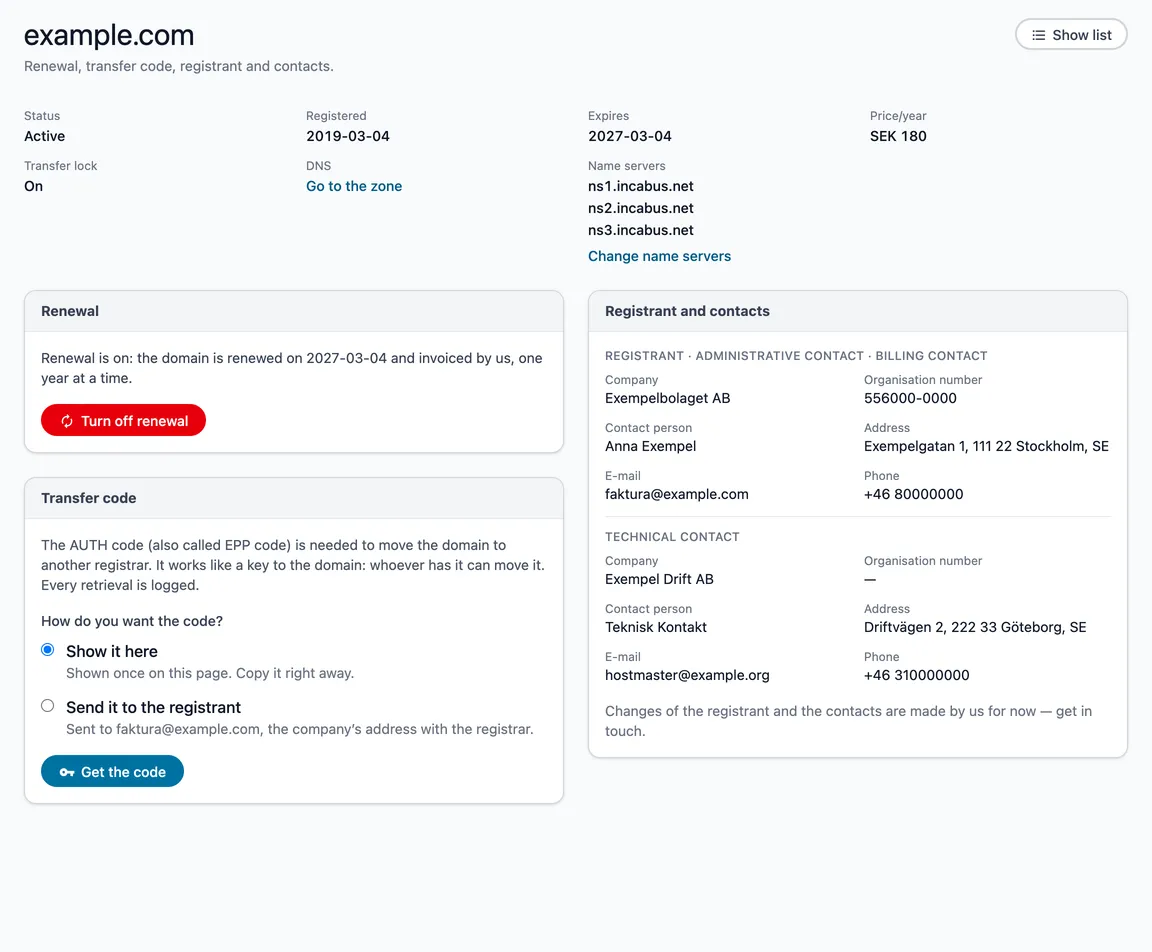
Every role can see the page. Turning renewal on and off, getting the transfer code and changing name servers requires the admin or owner role — for others the page says who can.
Domain
The card shows Status, Registered, Expires, Price/year, Transfer lock, DNS (with a link to the zone if it is with us) and Name servers. If something is going on at the registry — a renewal, a change of name servers — it is listed under In progress at the registry.
Change name servers opens Name servers, where you choose between ours and another DNS provider’s.
If the domain is suspended by the registry, it says so at the top of the page. It then does not answer in DNS until the suspension is lifted. Get in touch and we will find out why.
Renewal
When renewal is on, the domain renews automatically on its expiry date and is invoiced by us, one year at a time. Turn off renewal and the domain expires on its expiry date — after that anyone can register it, and e-mail and websites on it stop working. You can turn renewal on again until then.
Transfer code
The transfer code (AUTH or EPP code) is needed to move the domain to another registrar. It works like a key to the domain: whoever has it can move it. Every retrieval is logged.
- Show it here — the code is shown once on the page. Copy it straight away; it is saved nowhere with us.
- Send it to the registrant — the code is e-mailed to the company’s address at the registrar.
Choose and click Get the code. Sometimes the registry takes a few minutes to produce the code — try again then, or have it sent.
Registrant and contacts
The registrant is your company. The administrative, technical and billing contact is usually Incabus. The same contact in several roles is shown once, with the roles in its heading. For now, we change the registrant and contacts — get in touch.
A domain being transferred to us
While the domain is being transferred, the page shows Transfer in progress instead: the state, when the transfer started and, if something is waiting for approval, the last day. If the current registrar asks for approval by e-mail: approve it, or the transfer stops.
If the transfer has stopped — refused, wrong transfer code or locked at the current registrar — there is Try again with a new code. Get a new code where the domain is, check that it is unlocked, and click Try again. If the transfer was refused as soon as it started, there is Try the transfer again, which opens the transfer page with the name filled in.