Change several records
Change the TTL or value of several records in a zone at once, or remove them.
Tick the records in the table on the zone’s page, and choose Actions → Change TTL and value or Actions → Remove n records in the toolbar above the table. It requires the administrator or owner role.
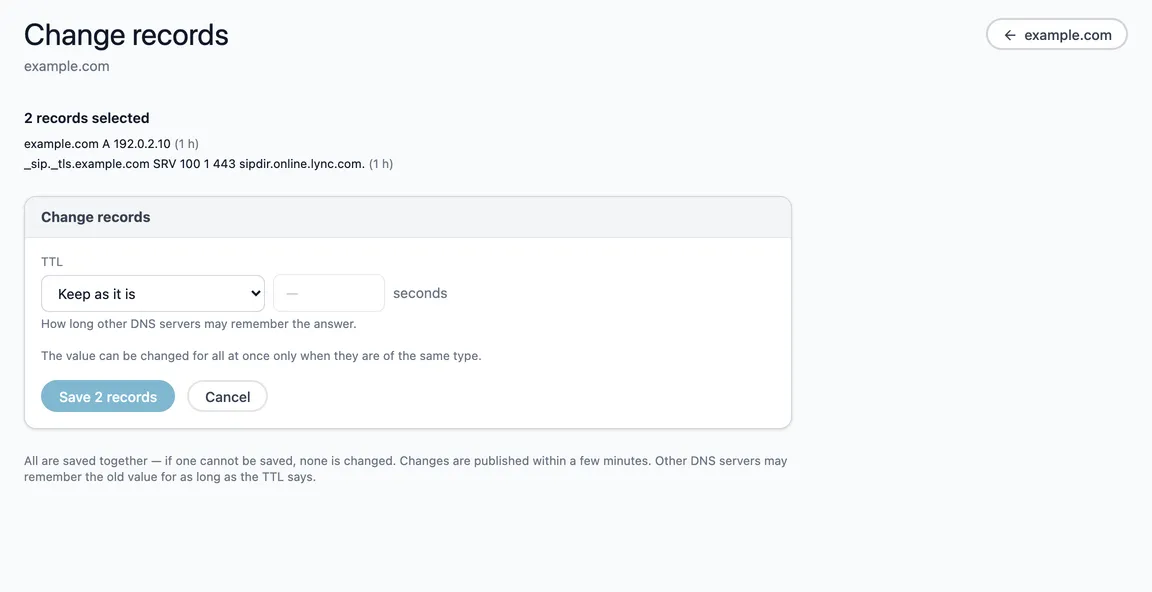
Change
The page shows the records you ticked. Choose what is to apply to all of them:
- TTL — a new TTL for all, or Keep as it is.
- Value — when all the records are of the same type you can give them a new value at once, for example a new address for several A records.
Choose Save and the number of records. All are saved together: if one cannot be saved, none is changed, and the page tells you why.
Remove
Remove asks first, and then removes all the ticked records at once. They disappear from the zone at the next publishing, usually within a few minutes.
Good to know
- The zone’s own records — SOA and our name servers — cannot be ticked.
- The whole change gives the zone a single new serial number.