Deleted records
Records removed from a zone in the last 30 days, and how to restore them.
If you remove a record by mistake, it stays here for 30 days and can be restored as it was. That applies to every removal — one record, several selected, and a record that Connections replaced.
Open the page with Deleted records at the top right of the zone’s page. The button only shows when there is something here. Every role sees the list; restoring requires the admin or owner role.
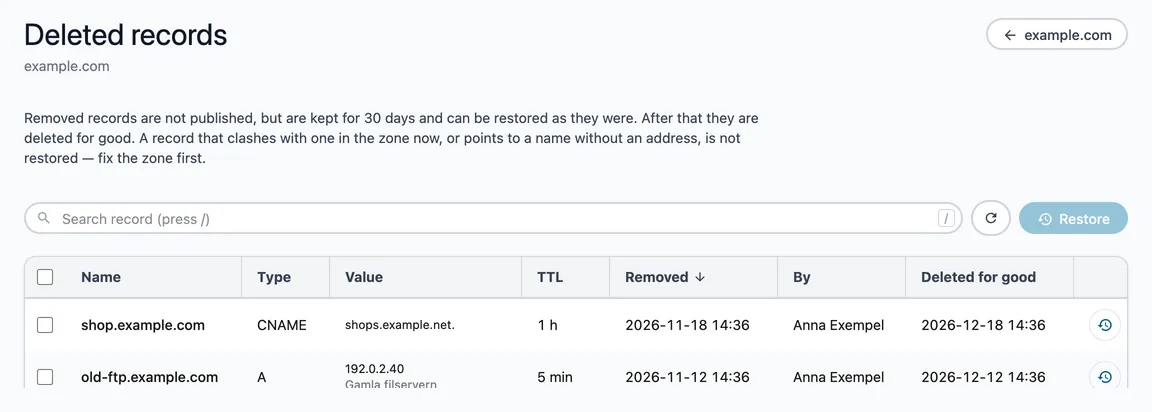
The list
Each row shows the record’s Name, Type, Value and TTL, when it was Removed, By whom, and when it is Deleted for good. Search on name, type, value or note in the search box.
Restore
Restore on the row brings the record back. To restore several: tick them and choose Restore in blue above the table. The zone gets a new serial and is published within a few minutes.
A record is only restored if the zone accepts it as it looks now. If it clashes with a record that exists — for example a CNAME on the same name — or points to a name that no longer has an address, none of the selected are restored, and the page says why. Fix the zone first.
After 30 days the record is deleted for good.